Products
Immersive training, on-the-job guidance and skills assessment
Four extended reality (XR) products share a modular foundation. LinkXR is the platform for deploying and managing them.
We can tailor a product to your needs or use it as the starting point for a custom application with features built for your team.
The foundation
Capabilities across the product suite
Our XR products share a modular foundation that gives us a starting point for tailoring an application to your needs. Formats, supported devices and features vary by product.
-
Formats vary by product
Depending on the product, experiences are available in virtual reality, augmented reality or interactive 3D.
-
Multiple devices
Device support depends on the product: some experiences use a headset, while others run on a phone or tablet.
-
In-depth analytics
Learning modules within each product capture performance data across sessions and let administrators export the results.
-
Connected customer portal
LinkXR gives your team one place to manage users, content and access.
01XR product

Immersive training for high-acuity clinical scenarios
AptiveXR turns complex processes and procedures into immersive experiences. Learners explore technologies, practice real workflows, and build lasting skills.
Run AptiveXR on standalone headsets so teams can rehearse without booking a traditional simulation lab for every session. Administrators can track performance across sessions and export the results for review.
Visit the AptiveXR site (opens in new tab)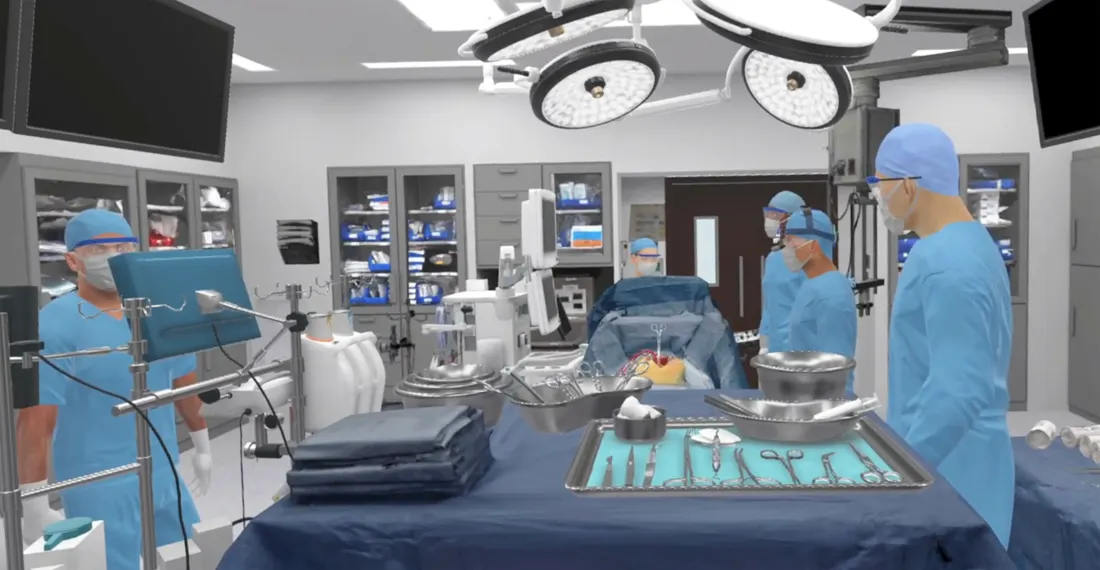
- VR
- AR
- MR
- Standalone headsets
AptiveXR guides learners through three modes, from supported instruction to independent performance
-
 01
Teach mode
Visual and audio guidance leads learners step by step.
-
 02
Learn mode
Learners repeat the process on their own, with help as needed.
-
 03
Assess mode
Completing the module without help shows learners are proficient.
02XR product


Help patients and families understand their care, from hospital to home
Get the information you and your family need to ask questions and take an active role in your care.
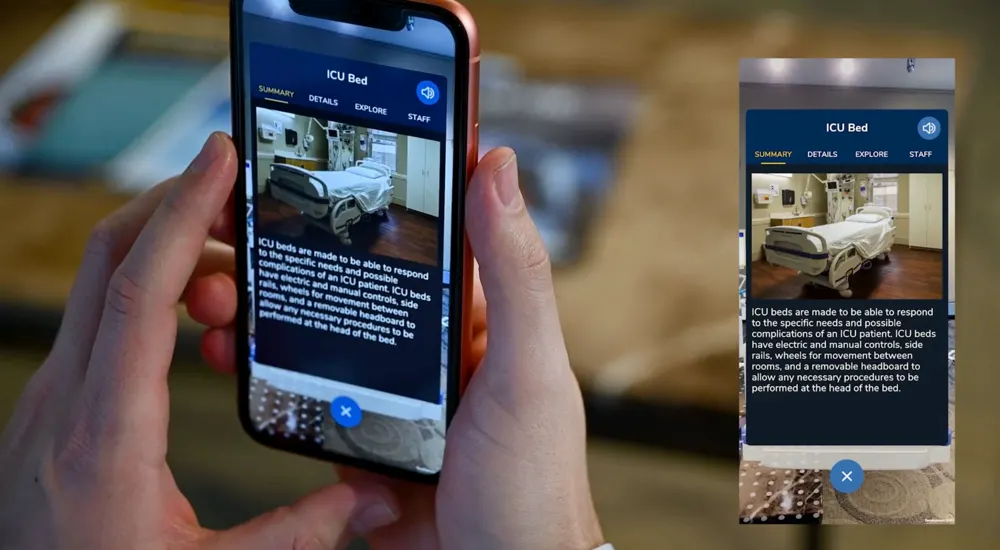
On a mobile device or computer, you and your family caregivers can read about health conditions, explore interactive 3D views of relevant parts of the body from different angles, and review practical information about care at home. Revisit what your care team explained at your own pace and jot down questions for your next visit.
- AR
- Explore in 3D
- Mobile
- PC or Mac
-
Make explanations easier to follow
At the bedside or during a clinic visit, use interactive 3D views, where available, to give patients and families a visual reference when talking about a condition or explaining how medical equipment works.
-
Give caregivers a refresher
Family caregivers and home care teams can walk through everyday care tasks at their own pace and revisit individual steps when they need a reminder.
-
Give patients something to revisit after discharge
Introduce an interactive experience during a visit or before discharge so patients and families can return to what you showed them once they're home or between clinic visits.
03XR product


Interactive 3D work instructions for equipment tasks
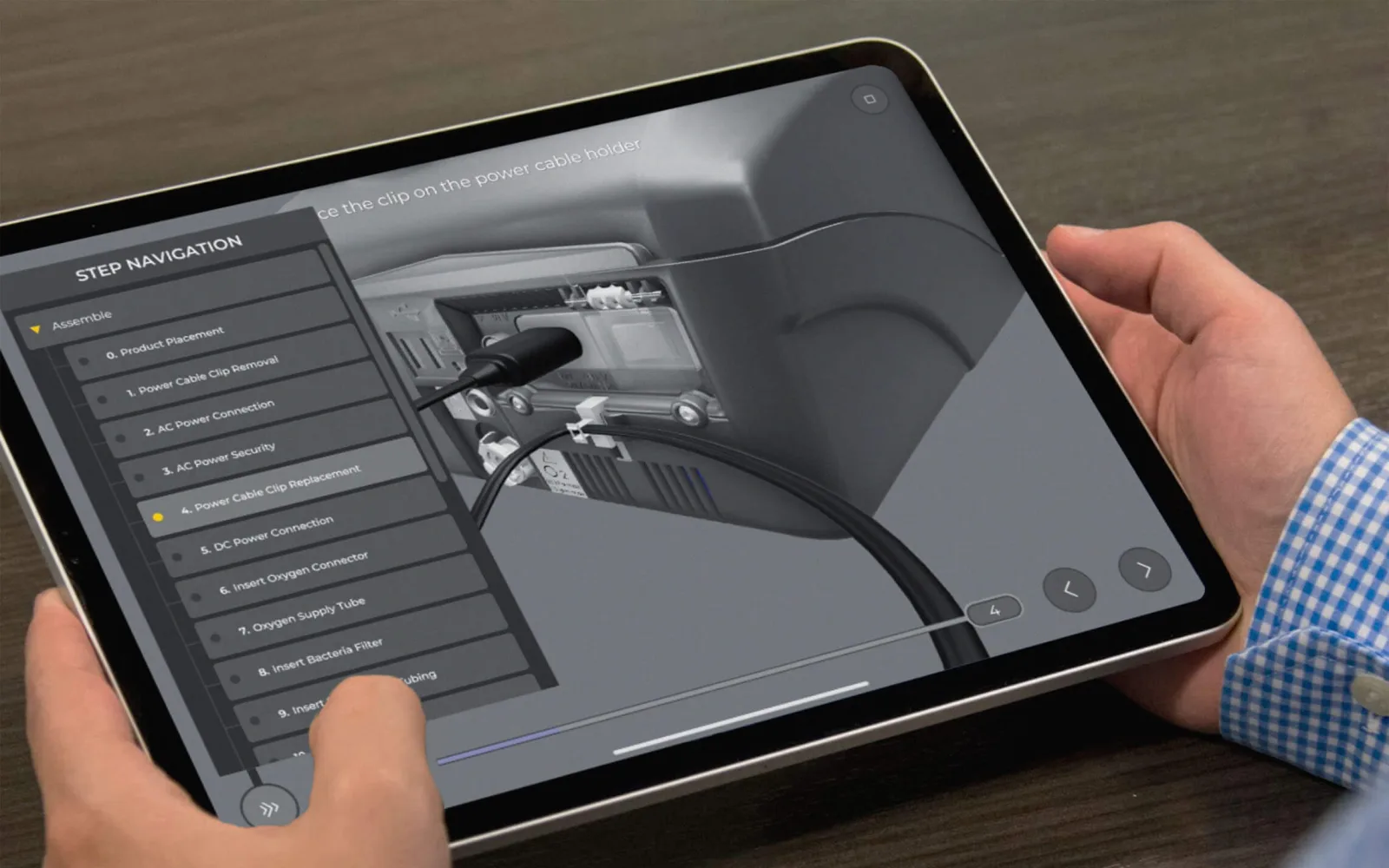
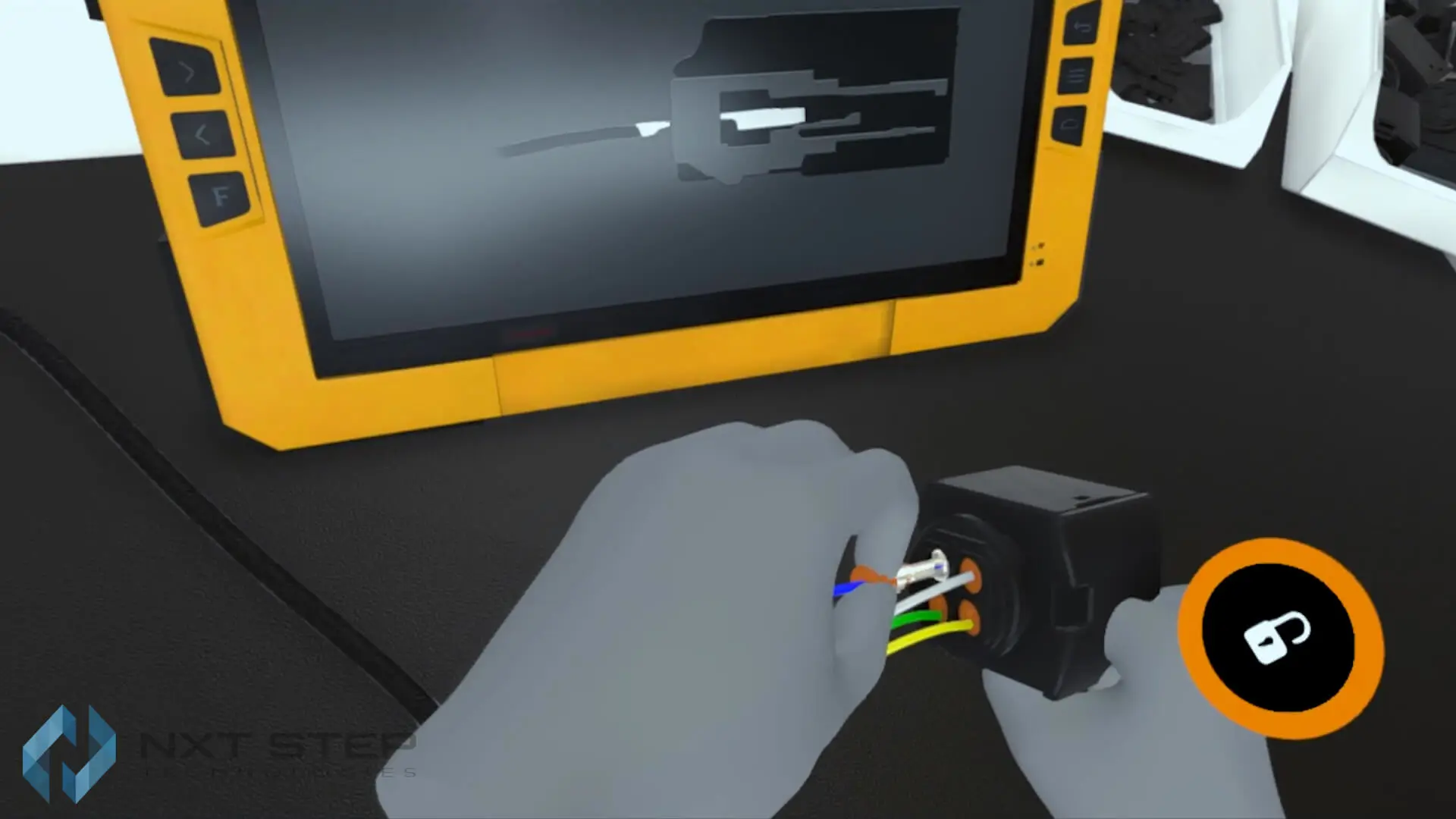
When a written instruction is hard to picture, see the step in action. Follow animated instructions on a phone or tablet as you assemble, operate, maintain, or repair equipment. Work through a procedure at your own pace or return to a specific step for a refresher.
Step-by-step equipment instructions in interactive 3D
For example, if a maintenance step refers to an unfamiliar part, rotate the 3D model to match your view of the equipment.
- Interactive 3D
- Tablet
- Phone
-
Look from any angle
Rotate and zoom the 3D model at any step to see details from another angle.
-
Jump between procedures
Move quickly between processes and procedures.
-
Product details
Look up parts and specifications without leaving the app.
04XR product

Objective assessment of cognitive and motor performance
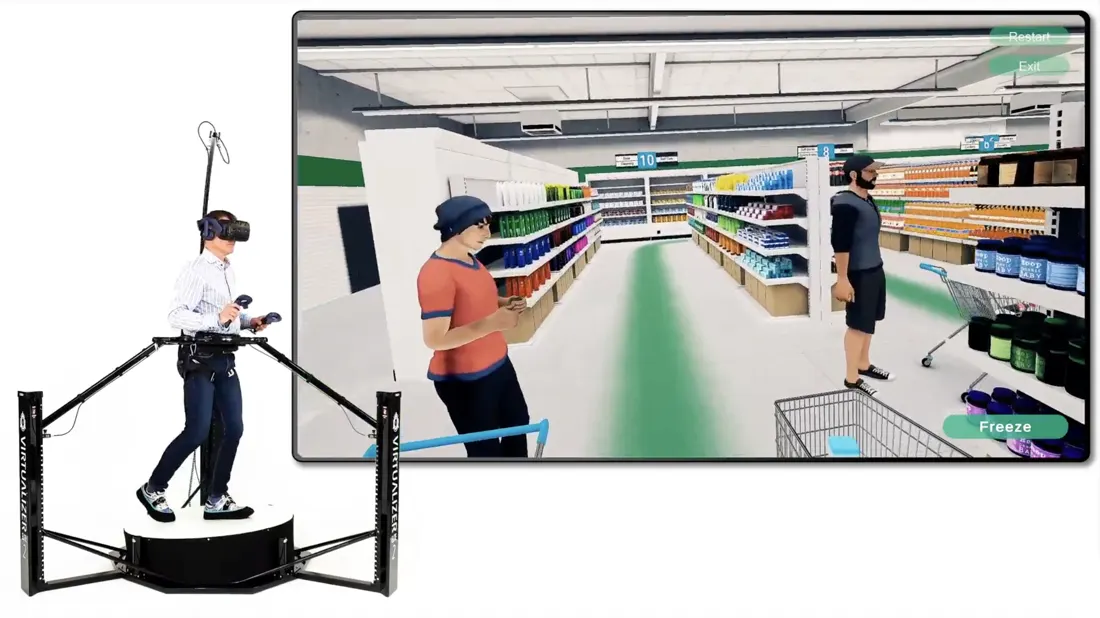
SimapseXR shows how people think and move while completing tasks in virtual reality (VR). Developed with clinical experts, it uses an omnidirectional treadmill so participants can walk in different directions as they navigate the virtual setting.
Cognitive and motor assessment in realistic virtual settings
Use interactive VR and an omnidirectional treadmill to assess how people navigate a virtual setting and respond to the demands of a task.
- VR
- Omnidirectional treadmill
-
Real-world tasks
See how someone manages a task in context, such as navigating a virtual grocery store while shopping.
-
Many domains at once
Measure multiple cognitive and motor domains in the same session, including performance when a task demands both at once.
-
Immediate results
Get objective performance metrics as soon as the assessment ends and use them to plan what to assess next.
05Platform


The platform behind every product
LinkXR is our immersive learning platform for deploying and managing training as it expands across teams.
It's the portal behind our products, with views for administrators, customers and end users. Supporting the entire life cycle for organizations, teams and individuals, LinkXR brings together content, users, apps, subscriptions and analytics, all with role-based access.
Designed to be industry-agnostic, LinkXR adapts to your goals and workflows. We work with you to define measurable outcomes, then use its data tools to show the metrics that matter most to your organization.
All in one place
- Content
- Users
- Apps
- Subscriptions
- Analytics
- Role-based access
- Administrators
- Customers
- End users
Our process
How a project comes together
Five steps, with your team involved in every one.
-
01
Discovery
We start with what your team needs people to learn or do, then review your requirements to find an approach that fits. Together, we set milestones and build a plan that can adapt as your needs evolve.
-
02
Design and development
We adapt our existing building blocks to create a 3D environment and design an experience for your audience. We stay in close contact with your team throughout design and development.
-
03
Testing
We test each version internally and with your team. Together, we check that it meets the technical specifications and that the experience looks and feels right for the people who will use it.
-
04
User evaluation
Once we meet the project milestones and requirements, your team tries the full solution. We use feedback from your team and input from your subject matter experts to fine-tune the experience.
-
05
Refinement
We continue to support you after launch. As your needs evolve, we can work with your team to improve the solution, expand its integrations, and help you get more useful insights from it.
Get in touch
Tell us what your team needs to practice
Use the contact form to tell us what you want people to learn, do or experience. We can help you explore where XR fits.
- Elm Park Labs150 Vester Ave, Suite 316
Ferndale, MI 48220